Why Do Muffins Stick to Liners?
If you’ve ever baked muffins only to have half of them stick to the paper liner, you’re not alone. Understanding why muffins stick to liners can help you fix the problem and get perfectly clean-release muffins every time.
If you’re baking muffins, try these recipes after fixing the issue:
Chocolate Chip Muffins
Why Do Muffins Stick to Liners?
Muffins stick to liners for a few common reasons, and most of them are easy to fix once you know what to look for.
1. Not Enough Fat in the Recipe
Low-fat muffin recipes tend to stick more because fat helps create a barrier between the batter and the liner.
Try a richer muffin recipe like these Banana Chocolate Chip Muffins
2. Muffins Are Still Warm
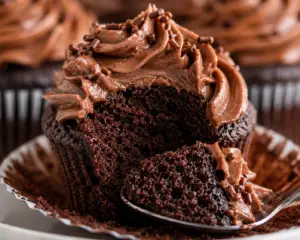
Muffins stick to liners when they are still warm because steam causes moisture to cling to the paper.
Let muffins cool for at least 10–15 minutes before removing liners.
3. Cheap or Thin Liners
Low-quality paper liners are more likely to stick because they absorb moisture and break apart easily.
Use thicker, greaseproof liners for best results.
4. High Sugar Content
Recipes with a lot of sugar can cause sticking because sugar melts and caramelizes during baking.
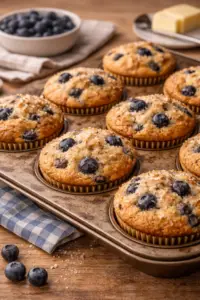
For another balanced recipe, try these High Protein Blueberry Muffins
5. Undercooked Muffins
Muffins that aren’t fully baked tend to stick because the crumb is still wet and soft.
Bake until a toothpick inserted in the center comes out clean.
How to Prevent Muffins from Sticking to Liners
Use high-quality parchment-style liners
Lightly spray liners with nonstick spray
Let muffins cool before removing liners
Ensure muffins are fully baked
Use recipes with enough fat
For more baking help, read these cake baking tips.
Want to see these recipes in action? Follow Stacie on YouTube for step-by-step videos and even more kitchen secrets!
Best Muffin Recipes to Try
Once you fix sticking issues, try these muffin recipes:
Frequently Asked Questions
Why do muffins stick to liners even after cooling?
Muffins stick to liners even after cooling when the recipe lacks enough fat or moisture balance. Muffins with low oil or butter content tend to cling to paper liners. Using parchment liners or lightly greasing them helps prevent sticking.
How do I stop muffins from sticking to liners?
To stop muffins from sticking to liners, use greaseproof liners and lightly spray them with nonstick spray before adding batter. Let muffins cool for at least 10–15 minutes before removing the liners. This helps the crumb set and release cleanly.
Do muffins need to cool before removing liners?
Yes, muffins should cool before removing liners because heat creates steam that causes sticking. Let muffins rest in the pan for 10 minutes, then transfer to a rack to cool further. This reduces moisture buildup between the liner and muffin.
Are silicone liners better for muffins?
Yes, silicone liners are better because muffins release easily without sticking. Silicone liners are reusable and don’t absorb moisture like paper liners. They are a great option if you frequently bake muffins.
Why are my muffins wet on the bottom?
Muffins are wet on the bottom when condensation forms as they cool in the pan. Remove muffins from the pan after 10 minutes and transfer them to a wire rack. This allows air to circulate and prevents moisture buildup.
Can I bake muffins without liners?
Yes, muffins can be baked without liners by greasing the muffin pan thoroughly. Use butter or nonstick spray to coat each cavity. This ensures muffins release cleanly after baking.
Do certain muffin recipes stick more than others?
Yes, muffins with low fat or high sugar content are more likely to stick. Recipes with balanced fat levels, like butter or oil-based muffins, release more easily. Choosing the right recipe helps reduce sticking issues.
What liners are best for muffins?
The best liners for muffins are parchment or greaseproof liners. These liners resist moisture and release muffins cleanly. Avoid thin paper liners that easily tear or stick.
More Dessert Recipes
Looking for more easy and comforting meals? Browse all recipes here: